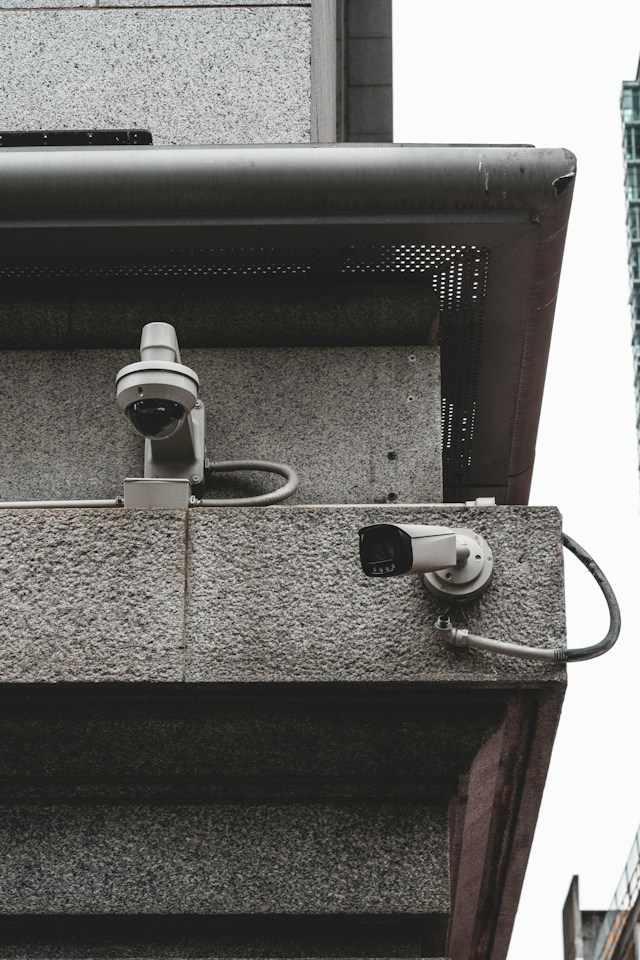
Quick answer: Office CCTV cameras should be placed at all entry and exit points, reception areas, hallway intersections, parking lots, and near high-value assets like server rooms or cash storage. Cameras should be mounted 8-10 feet high at a slight downward angle, avoiding employee-only spaces like restrooms and break rooms where privacy expectations are higher. Proper placement balances security coverage with legal compliance and employee trust.
Workplace security isn’t just about installing cameras and hoping for the best. A poorly positioned camera system can leave blind spots that defeat the entire purpose of surveillance, while an overly invasive setup can damage employee morale and expose a business to legal risk. Getting the placement right requires thinking through how people, assets, and risks actually move through a space.
This guide walks through where to position office CCTV cameras for maximum coverage, which areas to avoid, and how to balance security needs with privacy expectations. Whether you’re setting up a system for the first time or auditing an existing one, these principles apply across office sizes and industries.
Why does camera placement matter more than camera quantity?
Many businesses assume that more cameras automatically means better security. In reality, strategic placement matters far more than sheer volume. A handful of well-positioned cameras covering critical choke points will outperform a dozen poorly placed units that create overlapping footage of low-risk areas while leaving entrances unmonitored.
Camera placement determines whether footage is actually useful when an incident occurs. A camera positioned too high, too far, or at the wrong angle might technically “cover” an area while capturing footage too blurry or distant to identify a face, read a badge, or confirm what happened. Effective placement means every camera serves a specific purpose, whether that’s deterring theft, monitoring access points, or providing evidence for liability claims.
Which entry and exit points need camera coverage?
Every door that allows entry or exit to the building should have a camera pointed at it. This includes:
- Main entrances and lobbies: Position a camera to capture clear facial footage of everyone entering, ideally at eye level or slightly above, facing the door directly rather than at an extreme angle.
- Rear and side exits: These are common targets for unauthorized access since they typically receive less foot traffic and attention.
- Loading docks and delivery areas: Monitor these zones closely, as they involve external vendors and higher volumes of goods movement, which increases both theft risk and liability exposure.
- Emergency exits: While these doors are used infrequently, cameras here help confirm they aren’t being propped open or used as unauthorized access points.
Placing cameras at every access point creates a complete record of who enters and exits the building, which becomes invaluable context if an incident is reported later.
Should cameras be placed in hallways and common areas?
Yes. Hallway intersections and common areas act as natural chokepoints where foot traffic converges, making them efficient places to capture movement across the whole office without requiring a camera in every single room.
Position cameras at the ends of long corridors or at intersections where multiple hallways meet. This approach captures anyone moving between departments, floors, or wings of the building. Common areas like kitchens, lounges, and open-plan workspaces benefit from general coverage too, though the goal here should be broad visibility rather than close monitoring of individual workstations.
Reception areas deserve particular attention. This is typically the first point of contact for visitors, vendors, and employees, and clear footage here helps verify identities and timestamps for anyone entering the building.
Where should cameras cover high-value assets?
Any area that stores valuable equipment, sensitive data, or cash needs dedicated coverage. This includes:
- Server rooms and IT closets: These spaces house critical infrastructure and sensitive data, making them attractive targets for both external theft and internal sabotage.
- Cash handling areas: If the office processes any cash transactions, such as a retail counter or petty cash drawer, a dedicated camera should monitor that specific station.
- Storage rooms and supply closets: Inventory shrinkage is a common issue in offices with shared supplies or equipment, and camera visibility can reduce casual theft.
- Executive offices or record rooms: Spaces containing confidential documents or financial records warrant their own coverage, separate from general hallway monitoring.
For these areas, cameras should be positioned to capture both the access point (the door) and the interior of the room, giving a clear picture of who entered and what happened once inside.
How should parking lots and exterior areas be monitored?
Exterior security is often overlooked, but parking lots and building perimeters are common sites for vehicle break-ins, vandalism, and even assaults. Exterior cameras should be positioned to cover:
- Parking lot entrances and exits: Capture license plates and vehicle movement in and out of the lot.
- Full lot perimeter coverage: Position cameras at corners of the building or on poles to minimize blind spots between parked vehicles.
- Building perimeter and loading areas: Monitor the exterior walls, especially near windows, back doors, and any areas obscured from street view.
Exterior cameras need weatherproof housing and infrared or low-light capability, since they must perform reliably at night and in poor weather conditions.
Which areas should never have CCTV cameras?
Camera placement isn’t only about where to add coverage. It’s equally important to know where cameras should never go. Installing surveillance in these areas can violate privacy laws and create significant legal liability:
- Restrooms and locker rooms: These are considered areas with a reasonable expectation of privacy in virtually every jurisdiction, and recording here is illegal in most places.
- Break rooms and lounges: While not universally prohibited, many employees view cameras here as excessive, and some state laws restrict audio recording in spaces where private conversations are expected.
- Individual workstations with excessive zoom: General area monitoring is typically acceptable, but cameras that zoom in closely on a single employee’s screen or desk can raise concerns about micromanagement and may violate workplace privacy policies.
Before installing any camera, businesses should review state and local surveillance laws. For example, states like California and Illinois have specific regulations around workplace recording and employee notification requirements. Consulting legal counsel before finalizing a camera plan helps avoid costly compliance issues down the line.
What angle and height should office cameras be mounted at?
Camera height and angle directly affect footage quality. As a general rule:
- Mount cameras 8 to 10 feet high. This height is low enough to capture identifiable facial footage but high enough to deter tampering.
- Angle cameras slightly downward, roughly 15 to 30 degrees, to capture faces without creating excessive glare or distortion.
- Avoid backlighting. Positioning a camera facing a window or bright light source will silhouette anyone passing through the frame, making identification nearly impossible.
- Overlap coverage at key points. For high-priority areas like main entrances, consider two cameras at different angles to reduce blind spots created by someone covering their face from one direction.
How many cameras does a typical office need?
The right number of cameras depends on office size, layout, and risk level, but a useful starting point is to count critical zones rather than square footage. A small office with a single entrance, reception area, and one storage room might need as few as four to six cameras. A larger office spanning multiple floors with a parking structure, several entry points, and sensitive data storage could require 20 or more.
Rather than guessing, walk through the space and identify every point where someone could enter, exit, or access something valuable. Each of these points typically warrants its own camera.
How does camera placement affect legal and privacy compliance?
Beyond deciding where to point a camera with commercialcctvsecurity.sg, businesses need to consider how that placement interacts with employee privacy rights. Most jurisdictions allow workplace surveillance in common areas but require employers to:
- Post visible signage notifying employees and visitors that CCTV is in use.
- Avoid recording in areas with a reasonable expectation of privacy.
- Limit audio recording, which is more heavily regulated than video in many states.
- Store footage securely and limit access to authorized personnel only.
Choose a camera placement strategy that documents security-relevant behavior if preventing theft or verifying incidents matters more than capturing every square foot of office space. Businesses that prioritize employee trust alongside security tend to favor transparent placement, visible signage, and policies that clearly explain what is and isn’t monitored.
Building a Smarter Surveillance Strategy
Positioning office CCTV cameras effectively comes down to identifying where risk actually exists, not simply covering as much space as possible. Entry points, high-value asset storage, and transitional spaces like hallways and parking lots deserve the most attention, while private areas like restrooms and break rooms should remain camera-free.
A thoughtful camera layout protects the business, supports faster incident response, and signals to employees that security measures are purposeful rather than excessive. Before finalizing any installation, review local surveillance laws, consult with a licensed security provider, and walk the space with fresh eyes to identify blind spots a floor plan alone might miss.
Frequently Asked Questions
How many CCTV cameras does a small office need?
A small office with one main entrance, a reception desk, and a single storage area typically needs between four and six cameras to cover critical points without excessive overlap.
Is it legal to install cameras in an employee break room?
It depends on the jurisdiction. While video recording in break rooms isn’t universally illegal, many businesses avoid it due to privacy concerns, and audio recording in these spaces is restricted in several states.
What is the ideal height to mount an office security camera?
Most security professionals recommend mounting cameras 8 to 10 feet high at a slight downward angle, which balances facial identification with tamper resistance.
Do employees need to be notified about workplace CCTV cameras?
In most jurisdictions, yes. Employers are generally required to post visible signage indicating that surveillance cameras are in use, particularly in common and public-facing areas.
Can CCTV cameras be placed in restrooms or locker rooms?
No. Recording in restrooms and locker rooms is illegal in nearly every jurisdiction, as these spaces carry a reasonable expectation of privacy.