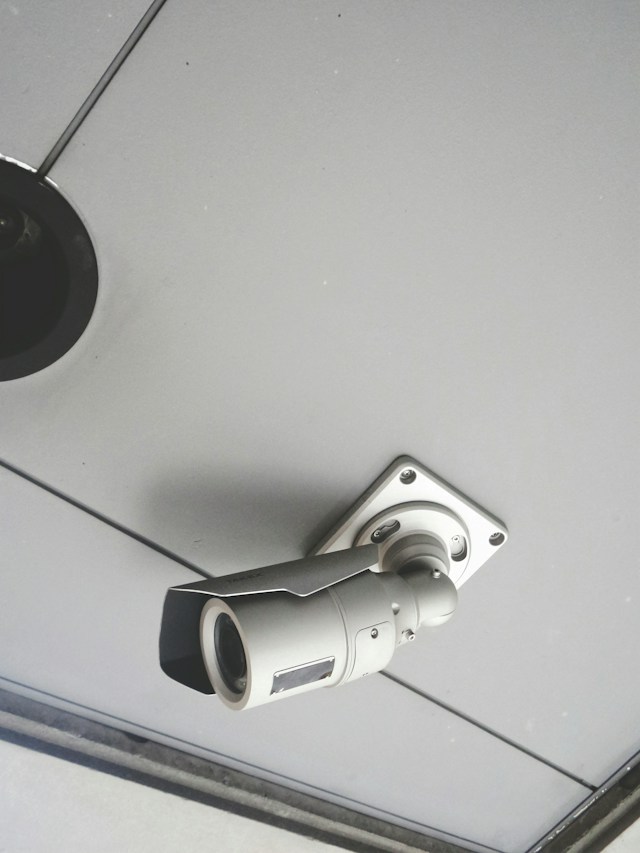
Quick answer: Keycard access systems are generally better for small offices that want affordable, easy-to-manage security with simple credential replacement, while fingerprint access systems suit offices that prioritize eliminating lost or shared credentials and want a higher security tier. Most small offices with under 50 employees find keycards offer the best balance of cost and convenience, though biometric systems are closing the price gap.
Choosing the right access control system feels like a small decision until you’re standing outside your own office at 7 a.m., patting down your pockets for a keycard you swear you had yesterday. Security decisions for small offices often get pushed to the bottom of the priority list, right up until a break-in, a lost badge, or an employee who “forgot” to return their key fob after quitting forces the issue.
Keycards and fingerprint scanners represent the two most common access control options for small and mid-sized offices today. Both keep unauthorized visitors out and give you a record of who came and went. But they work in fundamentally different ways, and the right choice depends on your budget, your team size, and how much friction you’re willing to tolerate at the front door.
This guide breaks down how each system works, compares their costs and security levels, and helps you figure out which one actually fits your office rather than just looking impressive on paper.
How does a keycard access system work?
Keycard systems with commercialcctvsecurity.sg use a physical card embedded with an RFID chip or magnetic stripe. Employees hold or swipe the card near a reader mounted beside the door, the reader verifies the card’s credentials against a database, and the door unlocks if there’s a match.
Most modern offices use proximity cards (prox cards) or smart cards, which only need to be held near the reader rather than swiped through a slot. This small convenience speeds up entry during busy mornings and reduces wear on the cards themselves.
Keycard systems typically include:
- A control panel that manages access permissions and logs entry activity
- Card readers installed at each secured door
- Physical cards or fobs issued to each employee
- Software for adding, removing, and adjusting access levels
Because the technology has been standard in commercial buildings for decades, keycard systems are widely available, well understood by IT teams and locksmiths alike, and easy to find replacement parts for.
How does a fingerprint access system work?
Fingerprint access systems, a type of biometric security, scan the unique ridges and patterns of an employee’s fingerprint and compare them against a stored digital template. If the scan matches a registered print, the door unlocks.
Unlike keycards, fingerprint systems don’t require employees to carry or remember anything. Your fingerprint is always with you, which removes the risk of someone forgetting their badge at home or lending it to a coworker who’s running late.
A typical fingerprint system includes:
- A biometric scanner at each entry point
- An enrollment station where employee fingerprints are initially captured
- A secure database storing encrypted fingerprint templates
- Management software to add or revoke access
Fingerprint readers have become significantly more affordable and accurate over the past decade, which has pushed them from high-security government buildings into everyday small business use.
Which system offers better security for a small office?
Fingerprint access systems generally offer stronger security than keycards because fingerprints can’t be lost, duplicated with a cheap card cloner, or handed off to someone else. Choose fingerprint access if preventing credential sharing matters more to your office than upfront cost.
Keycards carry a specific vulnerability: they can be shared, lost, stolen, or cloned. A disgruntled former employee who kept a spare card, or a cloned badge made with a $30 RFID copier purchased online, can grant unauthorized access without triggering any alarm. The system has no way of knowing whether the person holding the card is actually authorized to use it.
Fingerprints solve this problem by tying access directly to a physical trait. Even if someone steals an employee’s badge or phone, they can’t replicate a fingerprint without specialized (and expensive) equipment. This makes biometric systems a better fit for offices handling sensitive client data, financial records, or proprietary research.
That said, keycards still provide a meaningful security upgrade over a basic lock-and-key setup. They let you instantly revoke access for a specific card if it’s lost or an employee leaves, something a traditional key doesn’t allow without rekeying the entire lock. For many small offices, that alone represents sufficient security.
Which system is more cost-effective for small offices?
Keycard systems are typically more cost-effective upfront, with entry-level systems starting at a few hundred dollars per door, while fingerprint systems have historically carried a higher price tag due to the scanning hardware. Choose keycards if your office operates on a tight security budget and doesn’t handle highly sensitive data.
Here’s how the costs generally break down:
Keycard systems:
- Lower hardware costs per reader
- Inexpensive to replace lost or damaged cards (often $5–$15 per card)
- Minimal installation complexity for small offices with just one or two entry points
Fingerprint systems:
- Higher upfront hardware costs due to scanner technology
- No ongoing replacement costs since fingerprints never need reissuing
- Enrollment time required for each employee, which adds a small labor cost
Over a multi-year period, the cost gap narrows. Keycards involve recurring expenses for lost or damaged cards and occasional system upgrades, while fingerprint systems have no cards to replace at all. Offices planning to keep a system for five or more years may find the long-term math favors fingerprint access, even with the higher initial investment.
What’s the difference in convenience and daily use?
Fingerprint systems eliminate the need to carry a physical item, but keycards work faster and more reliably in some environmental conditions. Choose keycards if your team includes people who work with their hands in ways that could affect fingerprint quality, such as frequent exposure to moisture, dirt, or rough materials.
Fingerprint scanners occasionally struggle to read prints that are dirty, dry, scarred, or affected by certain skin conditions. This isn’t common, but it happens often enough that offices with manual labor components, like warehouses attached to small offices, sometimes report occasional read failures that slow down entry.
Keycards, on the other hand, work consistently regardless of weather, skin condition, or hand cleanliness. They’re also faster for high-traffic entry points, since a quick tap or wave near the reader takes less time than positioning a finger precisely on a scanner.
The tradeoff is that keycards require employees to remember to bring them. A forgotten card means either waiting for someone to let you in or asking the office manager to issue a temporary replacement, both of which create friction and minor security gaps.
What about employee privacy concerns?
Biometric data raises more privacy questions than keycard data, and this is worth considering before installing a fingerprint system. Employees may feel uneasy about their employer storing biometric information, even when it’s encrypted and used solely for access control.
Some states have specific laws governing biometric data collection in the workplace. Illinois’ Biometric Information Privacy Act (BIPA), for example, requires written consent before collecting employee fingerprints and mandates specific data retention and destruction policies. Before adopting a fingerprint system, check your state and local regulations to confirm compliance requirements.
Keycards don’t carry this same regulatory complexity since they don’t involve collecting personal biometric data. For offices in states with strict biometric privacy laws, or for employers who want to avoid the administrative burden of compliance, keycards remain the simpler legal choice.
Which system is easier to manage as your office grows?
Both systems scale reasonably well, but keycards offer slightly more flexibility for offices that frequently bring on temporary staff, contractors, or visitors. Choose keycards if your office regularly issues short-term access to non-employees.
Issuing a temporary keycard to a contractor or visiting client takes minutes and can be deactivated the moment their project ends. Enrolling someone in a fingerprint system, by comparison, requires a formal enrollment process that feels like overkill for someone who’ll only be in the building for a week.
For offices with a stable, long-term team and few visitors, this distinction matters less. Fingerprint systems work well once everyone is enrolled, and ongoing management mostly involves adding new hires and removing departing employees, a process that takes just a few minutes per person on most modern platforms.
Making the right choice for your office
There’s no universal right answer here. A 10-person design studio with a single entry door and no sensitive client data probably doesn’t need the added security of fingerprint scanning. A keycard system will serve that office well, keep costs low, and handle the occasional contractor or client visit without friction.
A small financial services firm or healthcare-adjacent business handling sensitive records faces different stakes. The added security of fingerprint access, paired with its elimination of shareable or cloneable credentials, may justify the higher upfront cost and the privacy compliance work involved.
Start by asking three questions: What kind of data or assets are you protecting? What’s your realistic budget, including replacement costs over time? And how often do you bring in temporary visitors or contractors? Your answers will point you toward the system that fits your office rather than the one that simply sounds more advanced.
Whichever direction you choose, don’t treat access control as a one-time decision. Review your system’s performance every year or two, especially as your team grows, your office relocates, or new security technology becomes available at a lower price point.
Frequently asked questions
How much does a keycard access system cost for a small office?
Basic keycard systems for a single entry point typically range from a few hundred to around $1,500 for installation, depending on the number of doors and the software features included. Ongoing costs include replacement cards, usually $5 to $15 each.
How much does a fingerprint access system cost for a small office?
Fingerprint systems generally cost more upfront than keycards due to scanner hardware, though prices have dropped significantly in recent years. Small offices should budget for enrollment time in addition to the hardware and installation costs.
Can keycard systems be hacked or cloned?
Yes. Basic RFID keycards can be cloned using inexpensive readers available online, which is a known vulnerability. Offices concerned about this risk should look for encrypted smart cards, which are more resistant to cloning than older magnetic stripe or basic RFID cards.
Are fingerprint access systems legal for small businesses to use?
Fingerprint systems are legal in most states, but several states, including Illinois, Texas, and Washington, have specific biometric privacy laws requiring employee consent and data handling disclosures. Check your state’s regulations before implementing a biometric system.
Can I use both a keycard and a fingerprint system together?
Yes, many offices use a hybrid approach, requiring both a keycard swipe and a fingerprint scan for high-security areas while using keycards alone for general office entry. This two-factor approach adds security without requiring fingerprint enrollment for every single door